PCDeploy

Run game servers from your computer
âś“ No Portforwarding âś“ Hide your own IP

Download For Windows

Features


No portforwarding

No port forwarding

Players can connect over the internet without you having to open ports on your router.

Server Owner Anonymity

Owner Anonymity

Your personal IP address will no longer be visible to players. People can no longer track your location or get your ISP.
DDoS Protection

DDoS Protection

Our proxies shield your server from DDoS attacks while protecting your home network from direct attacks.

Another Feature 5

Regional Proxies

We have proxy relays around the world to reduce latency on your server depending on your location.
Another Feature 6

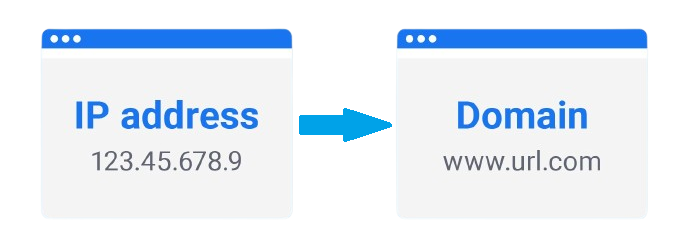
Custom Domain

Get a custom subdomain as your own static server address or use a domain you already own, free of charge.
Full Control

Full Control

By self-hosting your game server, you retain full control over your server's configuration and backups.
4

Proxy Regions

ALL

Games Supported

General Questions


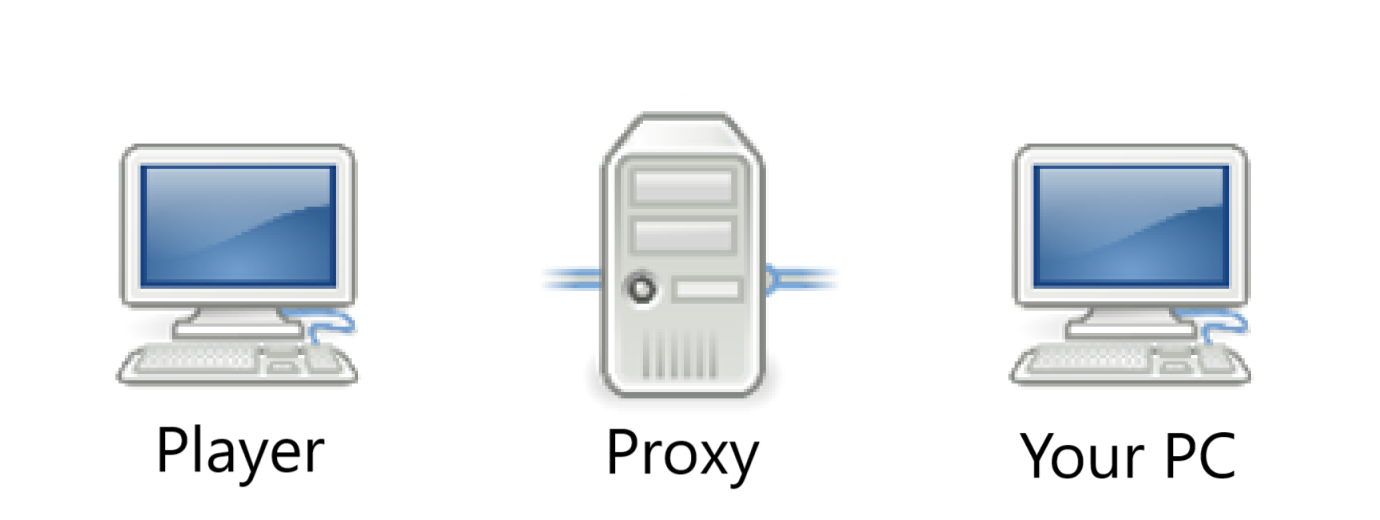
PCDeploy is a .exe file that will route all traffic from a public server address to your localhost. The tunnel works as a reverse proxy, placing our servers inbetween your home network and the players. Unlike programs like Hamachi, players do not need to install any program to connect to your server.
All you have to do is run pcdeploy.exe after starting your local game server. It will ask you for the port number your server is listening on (if it can't detect it automatically) and then provide you with a public server address that players can use to connect.
PCDeploy works for any game with self-hosted community servers such as Minecraft, Counter Strike, Rust, Valheim, ARK, GTA and more. It works for both UDP and TCP connections so that essentially ANY server can be run with PCDeploy including Teamspeak, DB, web servers and more.

Right now, only one server can be run at a time. Support for multiple servers will soon be added.
Yes. PCDeploy is completely free to use. Premium subscriptions with added functionality are planned to be added in the future in order to pay for server costs and maintenance. None of the currently available features will be locked behind a paywall.

Problems & Solutions


* frpc.exe is created when you run pcdeploy.exe. It’s used to tunnel the connection to your server. * It comes from FRP, a popular open-source project with ~100,000 stars on GitHub. * Because it handles networking, some antiviruses (like Microsoft Defender) may falsely flag it as malware. What to do * On first launch, pcdeploy.exe runs PowerShell to add an exception in MS Defender. Click “Yes” when asked. If you prefer, you can manually download frpc.exe from the official GitHub release (frp_0.65.0_windows_amd64.zip) and place it in your %LocalAppData%\PCDeploy folder. The checksum will match the file generated by PCDeploy. If your antivirus has removed frpc.exe, add it as an exception—otherwise PCDeploy will not work.
Make sure that the region you select when registering a new server address is the closest location to you. Since your server's connection is being proxied there may be slightly increased latency. If you live in places such as Australia, Siberia or Africa, you will experience more lag as you are located far away from our available proxy regions.

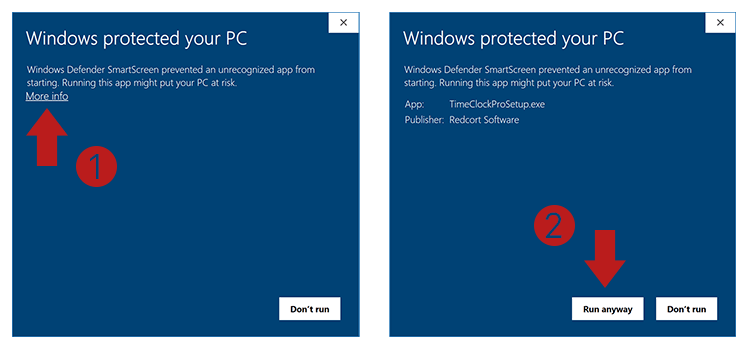
This is a standard Windows security feature that warns you about running applications that haven't paid for a code-signing certificate. You can bypass this by clicking "More info" and then "Run anyway".
This is as intended for people running PCDeploy without an account. To get a server address that doesn't change, you have to follow these steps:

Create an account on this website, login, go to the dashboard and click on "Server Addresses" in the sidebar.
Next, click the "Create New Server Address" button and enter the name of your server and the region closest to you.
Make sure that you are logged into pcdeploy.net on your default webbrowser on the same machine as you are running pcdeploy.exe, otherwise a a random server address will be generated on each server start.

Now pcdeploy.exe will automatically link your custom server address to your game server.